
Items filtered by date: December 2015
Create a Hidden Gantry Section
I needed a hidden Gantry section so I could publish my Javascripts and modal code without creating a load of blanks space.
Solution
- Create a Gantry section called 'Hidden'
- Add the following CSS code to your custom.scss file
/* Hide Hidden Section - So i can paste scripts into it without adding blank space */
#g-hidden {
    height: 0px;
}
So far it works but I have not extensively tested it.
My RSFeedback Notes
Q: I can only disable comments via the options menu. There does not seem to be anyway to control it. How can I restrict comments to registered users?
A: There is no particular option for this case when using the built-in RSFeedback! commenting system. However, you can achieve this through template overrides. This procedure is explained here.
The file you need to perform template overrides is located under this path:
/components/com_rsfeedback/views/feedback/tmpl/default.php
Open the duplicate used for template overrides and search for:
<?php echo $this->comments->form;?>
Replace the above line with:
<?php $user = JFactory::getUser(); if($user->id != 0) {    ?>
<?php echo $this->comments->form;?>
<?php } ?>
RSFeedback Komento Plugin and Integration Tutorial
This article will go through a pratical example of adding Komento (v3.0.4) to a component, in this case RSFeedback (v1.5.13). I will cover the various aspects of the Koneto Plugin structure and then go into the actual integration and how all of these parts interact.
Useful Information and Resources
These are not easy to find unless you are looking for them but combined they really helped me make this article and my plugin.
- Creating Own Integration Files - Advance - Komento Documentation - This is the primary document from Stackideas for making your own Komento plugin file for integration
- Triggers - Advance - Komento Documentation - Due to the nature of Komento's multiple component support system, triggers in Komento comes in 2 form: Component Plugin and Joomla Plugin. Not 100% what I would use this for but the link to this in the primary document is broken
- In the Komento (once installed)
- components/com_komento/komento_plugins/abstract.php - This is the class that all other plugins extend and it includes all the functions (Basic and Advanced) with descriptions
- components/com_komento/komento_plugins/com_sample.php - It is supposed to be a sample to help you make your own plugin but it is incomplete
- components/com_komento/komento_plugins/com_content.php - Uses an advanced function to add extra configurability in the Komento Integrations Admin Tab for this plugin
- components/com_komento/komento_plugins/{All the Others} - Have a look through the other plugins, they might help you.
- QW_com_sample.php - This is my upgraded com_sample.php with all annotations present with some extra code to make things easier
- administrator/components/com_komento/includes/komento.php - This holds the class KT (or Komento) and all of these functions (ie. getCount() and commentify() ) can be used if called correctely.
QW_com_sample.php
This is my upgraded com_sample.php and I highly recommend reading through it as it explains alot of things in context.
<?php
/**
* @package Komento
* @copyright Copyright (C) 2010 - 2016 Stack Ideas Sdn Bhd. All rights reserved.
* @copyright Copyright (C) 2017 Jon Brown @ QuantumWarp.com
* @license GNU/GPL, see LICENSE.php
* Komento is free software. This version may have been modified pursuant
* to the GNU General Public License, and as distributed it includes or
* is derivative of works licensed under the GNU General Public License or
* other free or open source software licenses.
* See COPYRIGHT.php for copyright notices and details.
*/
// No direct access
defined('_JEXEC') or die('Restricted access');
// Always load abstract class - This file also includes extra information about the functions here and the advanced functions not covered
//require_once( JPATH_ROOT . DIRECTORY_SEPARATOR . 'components' . DIRECTORY_SEPARATOR . 'com_komento' . DIRECTORY_SEPARATOR . 'komento_plugins' . DIRECTORY_SEPARATOR .'abstract.php' );
require_once( JPATH_ROOT . '/components/com_komento/komento_plugins/abstract.php' );
class KomentoComsample extends KomentoExtension
{
/******************************************************
*
* START
* [BASIC FUNCTIONS (METHODS)]
* These functions are mandatory
*
******************************************************/
// This property (object) stores all the required properties by Komento
public $_item;
// This property (array) stores all the key mappings of the required item properties to map from Komento's default key to your component's custom key
public $_map = array(
// not needed with custom getContentId()
'id' => 'id_field',
// not needed with custom getContentTitle()
'title' => 'title_field',
// not needed with custom getContentHits()
'hits' => 'hits_field',
// not needed with custom getAuthorId()
'created_by' => 'created_by_field',
// not needed with custom getCategoryId()
'catid' => 'catid_field',
// not needed with custom getContentPermalink()
'permalink' => 'permalink_field'
);
// Constructor - Add all required files for your component here and run its constructor
public function __construct( $component )
{
// Load all required files by component
// $this->addFile( your component's files );
// $this->addFile(JPATH_ADMINISTRATOR . '/components/com_sample/config.php');
// This must be left at the end of this constructor function
parent::__construct( $component );
}
// This method should load the article's main properties based on article ID
public function load( $cid )
{
    static $instances = array();

    if( !isset( $instances[$cid] ) )
    {
        // populate $this->_item with:
        // id_field
        // title_field
        // hits_field
        // created_by_field
        // catid_field
        // permalink_field

        // Create a Database Object
        $db = KT::getDBO();

        // Create SQL query to load a single article
        $query = 'SELECT `id_field`, `title_field`, `hits_field`, `created_by_field`, `catid_field` FROM `#__ARTICLE_TABLE` WHERE `ARTICLE_ID` = ' . $db->quote( $cid );
        $db->setQuery( $query );

        // Run the single article query and if there are no objects to load call the onLoadArticleError event
        if( !$this->_item = $db->loadObject() )
        {
            return $this->onLoadArticleError( $cid );
        }

        // Generate the permalink for this article
        $this->_item->permalink_field = 'index.php?options=com_sample&view=article&id=' . $this->_item->id_field;

        // Call the prepareLink function and leave the rest to us
        // Unless you have custom SEF methods, then use "getContentPermalink" function to overwrite
        $this->_item->permalink_field = $this->prepareLink( $this->_item->permalink_field );

        $instances[$cid] = $this->_item;
    }

    $this->_item = $instances[$cid];

    return $this;
}
// This method should load all the article IDs filtered by category IDs
public function getContentIds( $categories = '' )
{
// Create a Database Object
$db = KT::getDBO();
// Make sure the query is empty
$query = '';
// If no categories are supplied then load all article IDs
if( empty( $categories ) )
{
$query = 'SELECT `id_field` FROM `#__ARTICLE_TABLE` ORDER BY `id_field`';
}
// If categories are supplied then load all article IDs for articles belonging to those categories
else
{
if( is_array( $categories ) )
{
$categories = implode( ',', $categories );
}
$query = 'SELECT `id_field` FROM `#__ARTICLE_TABLE` WHERE `catid_field` IN (' . $categories . ') ORDER BY `id_field`';
}
// Run the query and return the results as an array
$db->setQuery( $query );
return $db->loadResultArray();
}
// This method should load all the category IDs of the component
// Make sure you select 'Single Level' or 'Nested' categories
public function getCategories()
{
// Create a Database Object
$db = KT::getDBO();
// Single Level Categories
//$query = 'SELECT `id`, `title` FROM `#__CATEGORY_TABLE`';
// Nested Categories
$query = 'SELECT `id`, `title`, `level`, `parent_id` FROM `#__CATEGORY_TABLE`';
// Run query and return categories
$db->setQuery( $query );
$categories = $db->loadObjectList();
// Populate category tree for Komento Admin Integration Tab for this plugin (optional)
// This is used in Komento where you select which categories the plugin should be active on etc...
foreach( $categories as &$row )
{
// Single Level Categories
//$row->level = 0;
// Nested Categories
$repeat = ( $row->level - 1 >= 0 ) ? $row->level - 1 : 0;
// Build and Add the Category Tree entry
$row->treename = str_repeat( '.   ', $repeat ) . ( $row->level - 1 > 0 ? '|_ ' : '' ) . $row->title;
}
return $categories;
}
// This method lets Komento know if this is the front page or category layout (Determine if is listing view)
public function isListingView()
{
$views = array('featured', 'category', 'categories', 'archive', 'frontpage' );
return in_array(JRequest::getCmd('view'), $views);
}
// This method lets Komento know if this is the page that the comment form should be displayed on (Determine if is entry view)
public function isEntryView()
{
return JRequest::getCmd('view') == 'article';
}
// This method is the main method that appends Komento on the article
public function onExecute( &$article, $html, $view, $options = array() )
{
// $html is the html content generated by komento (includes listing and form)
// Select 1 of the following outputs
// This appends the HTML to the article object
//$article->text .= $html;
//return;
// Return the Komento HTML code
return $html;
}
/******************************************************
*
* END
* [BASIC FUNCTIONS (METHODS)]
*
******************************************************/
}
com_rsfeedback.php
This is the actual Komento plugin for RSFeedback and is very useful for comparing with my QW_com_sample.php to see what the differences are.
<?php
/**
* @package Komento
* @copyright Copyright (C) 2010 - 2016 Stack Ideas Sdn Bhd. All rights reserved.
* @copyright Copyright (C) 2017 Jon Brown @ QuantumWarp.com
* @license GNU/GPL, see LICENSE.php
* Komento is free software. This version may have been modified pursuant
* to the GNU General Public License, and as distributed it includes or
* is derivative of works licensed under the GNU General Public License or
* other free or open source software licenses.
* See COPYRIGHT.php for copyright notices and details.
*/
// No direct access
defined('_JEXEC') or die('Restricted access');
// Always load abstract class - This file also includes extra information about the functions here and the advanced functions not covered
//require_once( JPATH_ROOT . DIRECTORY_SEPARATOR . 'components' . DIRECTORY_SEPARATOR . 'com_komento' . DIRECTORY_SEPARATOR . 'komento_plugins' . DIRECTORY_SEPARATOR .'abstract.php' );
require_once( JPATH_ROOT . '/components/com_komento/komento_plugins/abstract.php' );
class KomentoComrsfeedback extends KomentoExtension
{
/******************************************************
*
* START
* [BASIC FUNCTIONS (METHODS)]
* These functions are mandatory
*
******************************************************/
// This property (object) stores all the required properties by Komento
public $_item;
// This property (array) stores all the key mappings of the required item properties to map from Komento's default key to your component's custom key
public $_map = array(
// not needed with custom getContentId()
'id' => 'id',
// not needed with custom getContentTitle()
'title' => 'title',
// not needed with custom getContentHits()
'hits' => 'hits',
// not needed with custom getAuthorId()
'created_by' => 'user_id',
// not needed with custom getCategoryId()
'catid' => 'cat_id',
// not needed with custom getContentPermalink()
'permalink' => 'permalink'
);
// Constructor - Add all required files for your component here and run its constructor
public function __construct( $component )
{
parent::__construct( $component );
}
// This method should load the article's main properties based on article ID
public function load( $cid )
{
static $instances = array();
if( !isset( $instances[$cid] ) )
{
// populate $this->_item with:
// id_field
// title_field
// hits_field
// created_by_field
// catid_field
// permalink_field
// Create a Database Object
$db = KT::getDBO();
// Create SQL query to load a single article
$query = 'SELECT `id`, `title`, `hits`, `user_id`, `cat_id` FROM `#__rsfeedback_feedbacks` WHERE `id` = ' . $db->quote( $cid );
$db->setQuery( $query );
// Run the single article query and if there are no objects to load call the onLoadArticleError event
if( !$this->_item = $db->loadObject() )
{
return $this->onLoadArticleError( $cid );
}
// Generate the permalink for this article
$this->_item->permalink_field = 'index.php?options=com_sample&view=article&id=' . $this->_item->id_field;
// Call the prepareLink function and leave the rest to us
// Unless you have custom SEF methods, then use "getContentPermalink" function to overwrite
$this->_item->permalink = $this->prepareLink( $this->_item->permalink );
$instances[$cid] = $this->_item;
}
$this->_item = $instances[$cid];
return $this;
}
// This method should load all the article IDs filtered by category IDs
public function getContentIds( $categories = '' )
{
// Create a Database Object
$db = KT::getDBO();
// Make sure the query is empty
$query = '';
// If no categories are supplied then load all article IDs
if( empty( $categories ) )
{
$query = 'SELECT `id` FROM `#__rsfeedback_feedbacks` ORDER BY `id`';
}
// If categories are supplied then load all article IDs for articles belonging to those categories
else
{
if( is_array( $categories ) )
{
$categories = implode( ',', $categories );
}
$query = 'SELECT `id` FROM `#__rsfeedback_feedbacks` WHERE `cat_id` IN (' . $categories . ') ORDER BY `id`';
}
// Run the query and return the results as an array
$db->setQuery( $query );
return $db->loadResultArray();
}
// This method should load all the category IDs of the component
// Make sure you select 'Single Level' or 'Nested' categories
public function getCategories()
{
// Create a Database Object
$db = KT::getDBO();
// Single Level Categories
$query = 'SELECT `id`, `name` FROM `#__rsfeedback_categories`';
// Run query and return categories
$db->setQuery( $query );
$categories = $db->loadObjectList();
// Populate category tree for Komento Admin Integration Tab for this plugin (optional)
// This is used in Komento where you select which categories the plugin should be active on etc...
foreach( $categories as &$row )
{
// Single Level Categories
$row->level = 0;
// Build and Add the Category Tree entry
$row->treename = str_repeat( '.   ', $repeat ) . ( $row->level - 1 > 0 ? '|_ ' : '' ) . $row->name;
}
return $categories;
}
// This method lets Komento know if this is the front page or category layout (Determine if is listing view)
public function isListingView()
{
$views = array('category', 'categories', 'feedbacks');
return in_array(JRequest::getCmd('view'), $views);
}
// This method lets Komento know if this is the page that the comment form should be displayed on (Determine if is entry view)
public function isEntryView()
{
return JRequest::getCmd('view') == 'feedback';
}
// This method is the main method that appends Komento on the article
public function onExecute( &$article, $html, $view, $options = array() )
{
// $html is the html content generated by komento (includes listing and form)
// Return the Komento HTML code
return $html;
}
/******************************************************
*
* END
* [BASIC FUNCTIONS (METHODS)]
*
******************************************************/
}
Dissecting the Komento Plugin
If you have gone through the resources above (recommend) you will see that the functions are grouped into:
- Basic Functions - These are mandatory
- Extended Functions - These functions are for doing more advanced integrations. We will not needed them.
- Trigger Functions - These are functions that are triggered when various events happen.
The plugin can also be placed into either of the following locations and note that the name is changed depending where you put it.
- components/com_komento/komento_plugins/com_rsfeedback.php - The name is the same as the component.
- components/com_rsfeedback/komento_plugin.php - Komento searches all component folders to see if this file exists and this mechanisim allows 3rd Party developers to put Komento integration into their software without getting the plugin inserted into Komento's distribution package.
Objects
The objects declared at the top of the plugin $_item and $_map are self explanatory.
- $_item
- This just stores all of the information that is built or collected such as the article_id and permalink for the article that we want to dispaly comments for.
- $_map
- This property (array) stores all the key mappings of the required item properties to map from Komento's default key to your component's custom key. In other words this allows Komento to use its own internal naming convention for the mandatory items when the 3rd party component has other names for these items.
- All of these fields have 'Extended Functions' that can override the fields when more advanced building is required. (com_jdwonloads.php plugin files is an excellent example)
Functions
I will now go through the functions in the order they appear in the integration plugin. My notes will give you more of a practical insight into how they work. where an example is needed I will use my RSFeedback itegration code.
The QW_com_sample.php is fully annotated so if I missed anything just use that as a reference.
public function __construct( $component )
This function is where you include and files/dependencies that you need from the component, if any. This function then runs KT class constructor with the component name as a option so it has the relevant objects and resources for that component.
The parent::__construct( $component ); must be run at the end of the function so all the relevant assets have been called before it is intialised.
public function load( $cid )
This function loads a single article into the $_item object using the mappings we defined in $_map.
This is where the configuration fun begins. There are several parts to this function that need to be dealt with.
QW Sample Version
// This method should load the article's main properties based on article ID
public function load( $cid )
{
static $instances = array();
if( !isset( $instances[$cid] ) )
{
// populate $this->_item with:
// id_field
// title_field
// hits_field
// created_by_field
// catid_field
// permalink_field
// Create a Database Object
$db = KT::getDBO();
// Create SQL query to load a single article
$query = 'SELECT `id_field`, `title_field`, `hits_field`, `created_by_field`, `catid_field` FROM `#__ARTICLE_TABLE` WHERE `ARTICLE_ID` = ' . $db->quote( $cid );
$db->setQuery( $query );
// Run the single article query and if there are no objects to load call the onLoadArticleError event
if( !$this->_item = $db->loadObject() )
{
return $this->onLoadArticleError( $cid );
}
// Generate the permalink for this article
$this->_item->permalink_field = 'index.php?options=com_sample&view=article&id=' . $this->_item->id_field;
// Call the prepareLink function and leave the rest to us
// Unless you have custom SEF methods, then use "getContentPermalink" function to overwrite
$this->_item->permalink_field = $this->prepareLink( $this->_item->permalink_field );
$instances[$cid] = $this->_item;
}
$this->_item = $instances[$cid];
return $this;
}
Create SQL query to load a single article
This query needs to be changed to load a single articles record for the components database. You can change the field names to match the components which can be found by looking at your database, locating the article table for your component and then rading the fild names from the top.
// Create SQL query to load a single article $query = 'SELECT `id_field`, `title_field`, `hits_field`, `created_by_field`, `catid_field` FROM `#__ARTICLE_TABLE` WHERE `ARTICLE_ID` = ' . $db->quote( $cid ); $db->setQuery( $query );
So in the case of RSFeedback the code above will be changed to
// Create SQL query to load a single article
$query    = 'SELECT `id`, `title`, `hits`, `user_id`, `cat_id` FROM `#__rsfeedback_feedbacks` WHERE `id` = ' . $db->quote( $cid );
$db->setQuery( $query );
You will note that #__ is a Joomla substitution string for the table prefix and is absolutely needed. You now have configured the article to be loaded as needed except for the permalink. There might be some components that store their permalink in the articles record and if so just add the extra clause into the SQL statement above.
The Komento plugin for com_content.php has a more advanced article lookup where the various items are stored in different tables.
Generating a permalink
A permalink is the Non-SEF URL that Joomla uses to load pages and pretty much do most things.
To see a components permalink you need to turn off Search Engine Friendly URLs and Use URL Rewriting in Joomla's config and then browse to an article or category page for that component.
Menu Item Type Examples:

RSFeedback - Add Category
https://quantumwarp.com/index.php?option=com_rsfeedback&view=category&layout=edit&Itemid=1027

RSFeedback - Add Feedback
https://quantumwarp.com/index.php?option=com_rsfeedback&view=feedback&layout=edit&Itemid=1027

RSFeedback Feedbacks View (List all Feedbacks)
https://quantumwarp.com/index.php?option=com_rsfeedback&view=feedbacks&Itemid=1027

RSFeedback - List Categories
https://quantumwarp.com/index.php?option=com_rsfeedback&view=categories&Itemid=1027

RSFeedback - Single Feedback
https://quantumwarp.com/index.php?option=com_rsfeedback&view=feedback&id=2&Itemid=1027

Browsing Examples:

RSFeedback Single Category
https://quantumwarp.com/index.php?option=com_rsfeedback&view=feedbacks&cat_id=1&Itemid=1027
The Itemid=1027 - This is the menu item that my RSFeedback is displayed under. The other varibles are all straight forward.
Now we know what we need to build for Komento to understand what page to dispaly the comments on lets get on with it. there are several different methods that I have come across for build the permalink and I will list them below.
Method 1 - Simple
This is bar far the easiest and is the one that is in QW_com_sample
// Generate the permalink for this article
$this->_item->permalink_field = 'index.php?options=com_sample&view=article&id=' . $this->_item->id_field;

// Call the prepareLink function and leave the rest to us
// Unless you have custom SEF methods, then use "getContentPermalink" function to overwrite
$this->_item->permalink_field = $this->prepareLink( $this->_item->permalink_field );
As you can see it is literally is the permalink written out with the articles ID dynamically added at the end and then processed through a Komento function. The RSFeedback version lools like:
// Generate the permalink for this article
$this->_item->permalink_field = 'index.php?options=com_sample&view=article&id=' . $this->_item->id_field;

// Call the prepareLink function and leave the rest to us
// Unless you have custom SEF methods, then use "getContentPermalink" function to overwrite
$this->_item->permalink = $this->prepareLink( $this->_item->permalink );
As you can see they are exactly the same. RSFeedback uses simple permalink for its feedbacks. You will see we did not have to add the menu's Itemid as the compoenent already takes care of this. Not all compoenents will have a simple permalink like RSFeedback.
Method 2 - function getContentPermalink()
This example is taken from the JDownloads Komento integration plugin that ships in the Komento package and is in the folder /komento_plugins/ .
This function's output will override $_map->permalink but as you can see it allows for a more complex permalink to be built from various data sources much the same as JDownloads will build the links itself.
JDownloads Plugin Version
public function getContentPermalink()
{
    $link = 'index.php?option=' . $this->component . '';

    $pieces = array(
        'option=' . $this->component,
        'Itemid=' . $this->getItemId(),
        'view=download',
        'catid=' . $this->getCategoryId(),
        'id=' . $this->getContentId()
    );

    $link = $this->prepareLink( 'index.php?' . implode( '&', $pieces ) );

    return $link;
}
Example permalink:
JDownloads Single Download permalink
https://quantumwarp.com/index.php?option=com_jdownloads&view=download&id=41:stackideas&catid=19&Itemid=859
I have not used this method so you will need to experiment, but it should not be that difficult now that you know what this 'Extended Function' does
So the function for RSFeedback is:
// This method should load the article's main properties based on article ID
public function load( $cid )
{
    static $instances = array();

    if( !isset( $instances[$cid] ) )
    {
        // populate $this->_item with:
        // id_field
        // title_field
        // hits_field
        // created_by_field
        // catid_field
        // permalink_field

        // Create a Database Object
        $db = KT::getDBO();

        // Create SQL query to load a single article
        $query    = 'SELECT `id`, `title`, `hits`, `user_id`, `cat_id` FROM `#__rsfeedback_feedbacks` WHERE `id` = ' . $db->quote( $cid );
        $db->setQuery( $query );

        // Run the single article query and if there are no objects to load call the onLoadArticleError event
        if( !$this->_item = $db->loadObject() )
        {
            return $this->onLoadArticleError( $cid );
        }

        // Generate the permalink for this article
        $this->_item->permalink_field = 'index.php?options=com_sample&view=article&id=' . $this->_item->id_field;

        // Call the prepareLink function and leave the rest to us
        // Unless you have custom SEF methods, then use "getContentPermalink" function to overwrite
        $this->_item->permalink = $this->prepareLink( $this->_item->permalink );

        $instances[$cid] = $this->_item;
    }

    $this->_item = $instances[$cid];

    return $this;
}
Method 3 - Using the Joomla router
Again I have not used this method but I noticed that it used a router file (route.php). This example uses the com_content.php (Joomla Content) integration plugin that ships with Komento and is in the folder /komento_plugins/ .
Firstly the router file route.php for the component (com_content is actually a component in Joomla that is responsible for your articles)
public function __construct($component)
{
    // Add com_content's router file
    $file = JPATH_ROOT . '/components/com_content/helpers/route.php';
    $this->addFile($file);

    parent::__construct($component);
}
It has a much more advanced getContentPermalink() function that utilises the route.php (router file for the com_content component)
public function getContentPermalink()
{
    $slug = $this->_item->alias ? ($this->_item->id.':'.$this->_item->alias) : $this->_item->id;
    $catslug = $this->_item->category_alias ? ($this->_item->catid.':'.$this->_item->category_alias) : $this->_item->catid;
    $parent_slug = $this->_item->category_alias ? ($this->_item->parent_id.':'.$this->_item->parent_alias) : $this->_item->parent_id;

    $link = ContentHelperRoute::getArticleRoute($slug, $catslug);

    $link = $this->prepareLink($link);

    return $link;
}
public function getContentIds( $categories = '' )
This function will load all article IDs for the specified categories. I am not 100% this is used in RSFeedback but anyway.
We need to update the SQL so it loads article IDs for the specified catgories.
QW Sample Version
// This method should load all the article IDs filtered by category IDs
public function getContentIds( $categories = '' )
{
    // Create a Database Object
    $db = KT::getDBO();

    // Make sure the query is empty
    $query = '';


    // If no categories are supplied then load all article IDs
    if( empty( $categories ) )
    {
        $query = 'SELECT `id_field` FROM `#__ARTICLE_TABLE` ORDER BY `id_field`';
    }

    // If categories are supplied then load all article IDs for articles belonging to those categories
    else
    {
        if( is_array( $categories ) )
        {
            $categories = implode( ',', $categories );
        }

        $query = 'SELECT `id_field` FROM `#__ARTICLE_TABLE` WHERE `catid_field` IN (' . $categories . ') ORDER BY `id_field`';
    }

    // Run the query and return the results as an array
    $db->setQuery( $query );
    return $db->loadResultArray();
}
Dont forget to get the new field names by using phpMyAdmin to find out where the categories are stored and then work out the new SQL statement.
RSFeedback Version
// This method should load all the article IDs filtered by category IDs
public function getContentIds( $categories = '' )
{
    // Create a Database Object
    $db = KT::getDBO();

    // Make sure the query is empty
    $query = '';

    // If no categories are supplied then load all article IDs
    if( empty( $categories ) )
    {
        $query = 'SELECT `id` FROM `#__rsfeedback_feedbacks` ORDER BY `id`';
    }

    // If categories are supplied then load all article IDs for articles belonging to those categories
    else
    {
        if( is_array( $categories ) )
        {
            $categories = implode( ',', $categories );
        }

        $query = 'SELECT `id` FROM `#__rsfeedback_feedbacks` WHERE `cat_id` IN (' . $categories . ') ORDER BY `id`';
    }

    // Run the query and return the results as an array
    $db->setQuery( $query );
    return $db->loadResultArray();
}
public function getCategories()
This function is used to build the category tree in Komento Integration admin so you can select what categories you want Kommento to work on.
This is quite an important function and you need to know whether your component has a 'single level' of categories or 'nested' categories (most joomla components do). The sample function below is rigged up for nested categories and might require the help of an additional function such as setLevel( $pid, $level, $categories, &$result ) to determine level. See the integration plugin com_jdownloads.php on how it was done as I dont think this example in QW_com_sample.php is complete.
QW Sample Version
// This method should load all the category IDs of the component
// Make sure you select 'Single Level' or 'Nested' categories
public function getCategories()
{
    // Create a Database Object
    $db = KT::getDBO();

    // Single Level Categories
    //$query = 'SELECT `id`, `title` FROM `#__CATEGORY_TABLE`';

    // Nested Categories
    $query = 'SELECT `id`, `title`, `level`, `parent_id` FROM `#__CATEGORY_TABLE`';

    // Run query and return categories
    $db->setQuery( $query );
    $categories = $db->loadObjectList();

    // Populate category tree for Komento Admin Integration Tab for this plugin (optional)
    // This is used in Komento where you select which categories the plugin should be active on etc...
    foreach( $categories as &$row )
    {

        // Single Level Categories
        //$row->level = 0;

        // Nested Categories
        $repeat = ( $row->level - 1 >= 0 ) ? $row->level - 1 : 0;

        // Build and Add the Category Tree entry
        $row->treename = str_repeat( '.   ', $repeat ) . ( $row->level - 1 > 0 ? '|_ ' : '' ) . $row->title;

    }

    return $categories;
}
JDownloads Plugin (com_jdownloads.php)
public function getCategories()
{
    $sql = KT::sql();
    $sql->select( '#__jdownloads_categories' )
        ->column( 'id', 'id' )
        ->column( 'title', 'title' )
        ->column( 'parent_id' )
        // ->where( 'published', 1 )
        ->order( 'ordering' );

    $categories = $sql->loadObjectList();

    $result = array();

    $this->setLevel( 0, 0, $categories, $result );

    return $result;
}

private function setLevel( $pid, $level, $categories, &$result )
{
    foreach( $categories as &$category )
    {
        if( (int) $category->parent_id === (int) $pid )
        {
            $category->level = $level;

            $category->treename = str_repeat( '.   ', $level ) . ( $level > 0 ? '|_ ' : '' ) . $category->title;

            $result[] = $category;

            $this->setLevel( $category->id, $level + 1, $categories, $result );
        }
    }
}
RSFeedback has a very simple category storage as it is only a single level and not nested. If categories are in a nested format look at the com_content.php plugin or any of the other pluign files for examples.
I have altered the sample code just by
- removed the nested categories code
- enabled the Single Level category code
- change the SQL queries to mathc RSFeedback tables
- on Build and Add the Category Tree entry I change $row->title to $row->name as the field holding the title of the category in RSFeedback is name. This is only for display and does not affect the ampping mentioned earlier.
$row->level = 0; - This is to always set a level because this does not exist in a single level category system and it keeps the category tree building routine the same. You could in theory remove it but would make the code a bit messy ans should RSFeedback ever be upgraded to nested categories it would make sthings a lot easier to figure out.
RSFeedback Version
// This method should load all the category IDs of the component
// Make sure you select 'Single Level' or 'Nested' categories
public function getCategories()
{
    // Create a Database Object
    $db = KT::getDBO();

    // Single Level Categories
    $query = 'SELECT `id`, `name` FROM `#__rsfeedback_categories`';

    // Run query and return categories
    $db->setQuery( $query );
    $categories = $db->loadObjectList();

    // Populate category tree for Komento Admin Integration Tab for this plugin (optional)
    // This is used in Komento where you select which categories the plugin should be active on etc...
    foreach( $categories as &$row )
    {

        // Single Level Categories
        $row->level = 0;

        // Build and Add the Category Tree entry
        $row->treename = str_repeat( '.   ', $repeat ) . ( $row->level - 1 > 0 ? '|_ ' : '' ) . $row->name;

    }

    return $categories;
}
public function isListingView()
This method lets Komento know if this is the front page or category layout (Determine if is listing view)
This is very simple to understand. We need to define what pages are categories and what are articles. This particular function tells Komento what are category or listing style pages and basically dont show commenting system on these.
QW Sample Version
// This method lets Komento know if this is the front page or category layout (Determine if is listing view)
public function isListingView()
{
    $views = array('categories', 'category', 'feedbacks');

    return in_array(JRequest::getCmd('view'), $views);
}
All you need to do is find the permalinks (addressed earlier) for all of the pages you do not want to show comments on and add them into the views array. I would do this by creating a menu item for every type of option available for RSFeedback and make a list of the permalinks into 2 groups, those you want comments on (should just be single feedback page) and a list of those you so not want comments on.
Of these you do not want comments on look at the permalink and you will see a GET parameter view=xxxx where xxxx is the view type. Add all of these view types into the $views = array() statement. Does not matter if there are duplicates just add the view type in once.
RSFeedback Version
// This method lets Komento know if this is the front page or category layout (Determine if is listing view)
public function isListingView()
{
    $views = array('category', 'categories', 'feedbacks');

    return in_array(JRequest::getCmd('view'), $views);
}
public function isEntryView()
This is the opposite of above. This method lets Komento know if this is the page that the comment form should be displayed on (Determine if is entry view).
Basically follow the procedure from above but reverse it selecting only the views that you want comments on. I dont know why you need to specify view types you want comments on and not on rather that just the pages you want them on but i am sure there is a reason. There usually is only type of page(view) you want the comments to be displayed on.
QW Sample Version
// This method lets Komento know if this is the page that the comment form should be displayed on (Determine if is entry view)
public function isEntryView()
{
    return JRequest::getCmd('view') == 'article';
}
RSFeedback Verison
// This method lets Komento know if this is the page that the comment form should be displayed on (Determine if is entry view)
public function isEntryView()
{
    return JRequest::getCmd('view') == 'feedback';
}
With RSFeedback there is only 1 page type you want to display comments on, the Single feedback page.
public function onExecute( &$article, $html, $view, $options = array() )
This function outputs the HMTL code upon execution. You can also use it to append code to an article object. Tehre is not much more to this fuction.
QW Sample Version
// This method is the main method that appends Komento on the article
public function onExecute( &$article, $html, $view, $options = array() )
{
    // $html is the html content generated by komento (includes listing and form)

    // Select 1 of the following outputs

    // This appends the HTML to the article object
    //$article->text .= $html;
    //return;

    // Return the Komento HTML code
    return $html;
}
I uses the straight HMTL output for RSFeedback because the code in RSFeedback is geared up to recieve the HTML rather being added to the article object.
RSFeedback Version
// This method is the main method that appends Komento on the article
public function onExecute( &$article, $html, $view, $options = array() )
{
    // $html is the html content generated by komento (includes listing and form)

    // Return the Komento HTML code
    return $html;
}
RSFeedback Component Integration
We have now been through the basics of the Komento plugin with an emphasis on RSFeedback but these instruction like those before can be easily applied to other components.
Create and install the Komento integration plugin
- You can either work through the instructions above making your plugin (if not RSFeedback) or copy and paste the code from the top.
- Save the file as components/com_rsfeedback/komento_plugin.php
Examine RSFeedback code for changes that we need to make
RSFeedback supports several commenting systems out of the box (Inbuilt Comment System / RSComments / JComments / Jom Comments) but not Komento. Komento will have to be added into RSFeedback by altering some of it's core code.
Make sure you have backups and do all of this work on a test website first before working on your live site.
Because RSFeedback already has these comment systems installed I extracted the files and then did a text search to search for 'rscomments' and this return the following 3 files.
Extracted Installation Package Location
- admin/models/fields/commentingsystems.php
- site/helpers/rsfeedback.php
- site/models/feedback.php
Location when installed in Joomla
- administrator/components/com_rsfeedback/models/fields/commentingsystems.php
- components/com_rsfeedback/helpers/rsfeedback.php
- components/com_rsfeedback/models/feedback.php
Purpose of files
- This file is used in order to display the commenting systems in the configuration page of the component
- This file is used in order to include the commenting form and the comments
- This file is used in order to include the commenting form and the comments - The public function getComments() is not actually used anywhere is RSComments so it is redundant and has been reported to RSFeedback. You can add the code here aswell if you want, it will not harm.
NB: File 3 does not make anydifference but is include for completeness
Making the Changes
We now have the location in the code where we need to make changes you should go and have a quick look at the files to see how the comment systems are integrated. With systems like this is it is failry easy to add another commenting system as there will be standard that adds each commenting system in the same way, there will just be a slight difference in the final call to the commenting system and the included files that are need to call the commenting system.
commentingsystems.php
This file adds the commenting systems as selections in the RSFeedback Joomla admin.
{add picture here}
Add the bottom of each of the groups of code I have simply added an entry for Komento giving it the option number 5, this is important for the next changes as it is the reference number we will be using for the Konto commenting system in RSFeeedback.
The following line is added to the bottom of the first group and is used as a boolean check to see if Komento is installed. You could probably use bootstrap.php instead but I am not sure about this and is not that important. Using koment.php certainly makes it easier to follow
$komento = file_exists(JPATH_SITE.'/components/com_komento/komento.php');
The second group of code in the fuction builds up the array for the RSFeedback admin and returns the results. Commenting systems that are not present will appear greyed out. Add the following line:
$commentsystem[] = JHTML::_('select.option', '5', JText::_('Komento') , 'value' , 'text', !$komento);
This will give you the full file shown below:
/**
* @package RSFeedback!
* @copyright (C) 2010-2014 www.rsjoomla.com
* @license GPL, http://www.gnu.org/copyleft/gpl.html
*/
defined('_JEXEC') or die('Restricted access');
jimport('joomla.form.formfield');

class JFormFieldCommentingSystems extends JFormField {
    protected $type = 'CommentingSystems';

    public function getInput()
    {
        $jcomment   = file_exists(JPATH_SITE.'/components/com_jcomments/jcomments.php');
        $jomcomment = file_exists(JPATH_SITE.'/plugins/content/jom_comment_bot.php');
        $rscomment  = file_exists(JPATH_SITE.'/components/com_rscomments/rscomments.php');
        $komento    = file_exists(JPATH_SITE.'/components/com_komento/komento.php');

        $commentsystem = array();
        $commentsystem[] = JHTML::_('select.option', '0', JText::_( 'COM_RSFEEDBACK_COMMENTS_DISABLED' ) );
        $commentsystem[] = JHTML::_('select.option', '1', JText::_( 'COM_RSFEEDBACK_DEFAULT_COMMENTS' ) );
        $commentsystem[] = JHTML::_('select.option', '2', JText::_('RSComments!') , 'value' , 'text', !$rscomment);
        $commentsystem[] = JHTML::_('select.option', '3', JText::_('JComments') , 'value' , 'text' , !$jcomment);
        $commentsystem[] = JHTML::_('select.option', '4', JText::_('Jom Comments') , 'value' , 'text', !$jomcomment);
        $commentsystem[] = JHTML::_('select.option', '5', JText::_('Komento') , 'value' , 'text', !$komento);

        $html = JHTML::_('select.genericlist', $commentsystem, 'jform[feedback_commenting]', '', 'value', 'text', $this->value);

        return $html;
    }
}
rsfeedback.php
Find the public static function DisplayComments($id) and add the following code at the end of the switch list. You will note it is option 5.
This is the code that will return the HTML from Komento (which has the comments for that Feedback item and the new comment form etc..) which is then assigned to the $comments->listing object which is the generic container RSFeedback uses to hold the comments from the various systems and is then this object that gets rendered below the Feedback giving you the comments.
case '5' :
    require_once( JPATH_ROOT . '/components/com_komento/bootstrap.php' );
    $comments->listing  = KT::commentify('com_rsfeedback', $id);
    $comments->form     = '';
break;
feedback.php
This is a very similiar arrangement to rsfeedback.php except it is not used anywhere and all the code is within public function getComments(). The code here is slightly different but would do the same job if it was used.
add the following lines at the end of the switch list in the function public function getComments().
//Komento integration
case 5:
    if (file_exists(JPATH_ROOT . '/components/com_komento/bootstrap.php')) :
        require_once(JPATH_ROOT . '/components/com_komento/bootstrap.php');
        $comments .= KT::commentify('com_rsfeedback', $this->data->IdFeedback, $options);
    endif;
break;
KT:: or Komento:: or KMT::
Firstly all of these are referenced in:
{Joomla Route}/administrator/components/com_komento/includes/komento.php
What is this all about. KT:: is the new name for the Komento class and it is this that should be used going forwards when making plugins even thought the official instructions (at time of writing) tell you to use Komento:: which is confusing. However the following code at the bottom of komento.php allows the legacy use of these class names.
class KMT extends KT {}
class Komento extends KT {}
So going forwards just use KT:: so for example
require_once(JPATH_ROOT . '/components/com_komento/bootstrap.php');
Komento::commentify('com_sample', $article, $options);
should be
require_once(JPATH_ROOT . '/components/com_komento/bootstrap.php');
KT::commentify('com_sample', $article, $options);
NB: You can call KT:commentify() because it is a static function. I will not go into this further but you might notice a couple of these in the code.
Comments Count
We need to get the comments count from comment and feed this information back to RSFeedback so it can be displayed.
The function that Komento uses is getCount($component, $cid), in the KT:: class, in the file administrator/components/com_komento/includes/komento.php approx line 1355
$commentsModel = KT::model('Comments');                                 // Create a Comments object
$commentCount  = $commentsModel->getCount($component, $cid);            // Return the Comment count
The function RSFeedback uses to display the comment count is getFeedbackCommentsCount($id) in the file components/com_rsfeedback/helpers/rsfeedback.php approx line 189
Again with previous codes there is a switch choice and we just need to add the Komento code in as option 5.
case '5' :
    require_once( JPATH_ROOT . '/components/com_komento/bootstrap.php' );   // Intialize Komento
    $commentsModel = KT::model('Comments');                                 // Create a Comments object
    $comments = $commentsModel->getCount('com_rsfeedback', $id);            // Return the Comment count
break;
Translation
The last thing to do is translate the new Komento Integration Tab and the dropdown menu option used in various places for our plugin in Komento by adding these translation strings.
COM_KOMENTO_COM_RSFEEDBACK="RSFeedback"
COM_KOMENTO_SETTINGS_TAB_COM_RSFEEDBACK_SETTINGS="RSFeedback"
Thre are 2 ways of adding the translation string into joomla
- Manually add the translation via Joomla's backend language override section (recommended). This translatation should be added to the admin section
- Add the translation string as is to administrator/language/en-GB/en-GB.com_komento.ini (or whatever language you need)
Done - Recap
We have now completed all of the steps required to integrate Komento into RSFeedback and have covered most aspects of this process. So he is a quick recap of what to do.
- Build the plugin code (or copy and paste it from the top) and create the file components/com_rsfeedback/komento_plugin.php
- Add the Komento code into the following files
- administrator/components/com_rsfeedback/models/fields/commentingsystems.php
- components/com_rsfeedback/helpers/rsfeedback.php
- components/com_rsfeedback/models/feedback.php (optional)
- Add translation string (via Joomla admin is best)
How to migrate the Skeleton Database to a new server
I am unable to directly move the database from my skeleton template on my staging server to a new target server. This is due to my staging server being newer and using MariaDB than the target server and that the default table type when using MariaDB is 'Aria' which the target server does not support.
Export methods tried
- cPanel Database Backup Wizard
- phpMyAdmin Database export (phpMyadmin-->Home-->Export)
- phpMyAdmin table export (phpMyadmin-->skeleton_table-->Home-->Export)
Results
All of these exported files fail to import on the target with the following SQL error when importing in phpMyAdmin
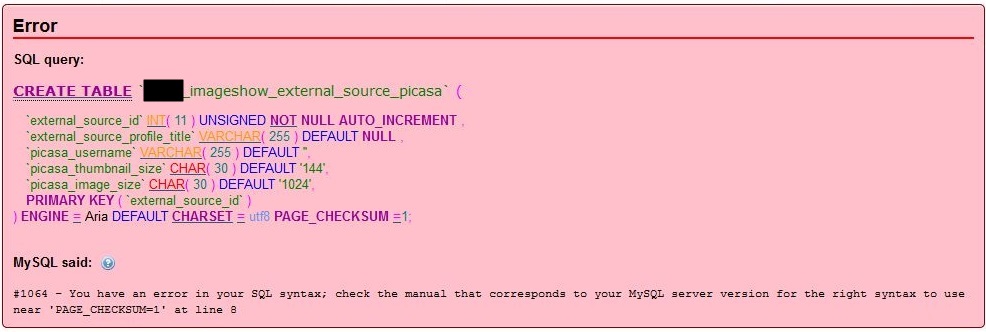
Error

SQL query:

CREATE TABLE `xxxx_imageshow_external_source_picasa` (
`external_source_id` int( 11 ) unsigned NOT NULL AUTO_INCREMENT ,
`external_source_profile_title` varchar( 255 ) DEFAULT NULL ,
`picasa_username` varchar( 255 ) DEFAULT '',
`picasa_thumbnail_size` char( 30 ) DEFAULT '144',
`picasa_image_size` char( 30 ) DEFAULT '1024',
PRIMARY KEY ( `external_source_id` )
) ENGINE = Aria DEFAULT CHARSET = utf8 PAGE_CHECKSUM =1;

MySQL said: Documentation
#1064 - You have an error in your SQL syntax; check the manual that corresponds to your MySQL server version for the right syntax to use near 'PAGE_CHECKSUM=1' at line 8
Solution
If you use an intermediate server such as xampp you can convert the 'Aria' tabels in to 'MyISAM' which will then allow for a successful import.
Instructions
- Export the databse on the source/staging server using the cPanel Database Backup wizard
- Create a table in xampp called 'skellyimport'
- Import the cPanel database backup into 'skellyimport'
- At this point tables with 'Aria' table type still exist
- Goto phpMyAdmin --> Home --> 'skellyimport' table --> Export
- Select all of the tables and export them (this option is at the bottom of the page but make sure you get all of the tables)
- Goto phpMyAdmin on the target server and import the database
The skeleton database is now migrated and there are no 'Aria' type tables as the have all been converted to 'MYISAM'. You should also note that when using xampp on Windows all table names are changed to lowercase.
Notes
If you export the database in phpMyAdmin rather than exporting the tables there will be a database create rule and some header code is missing.
Create Database Rule Error
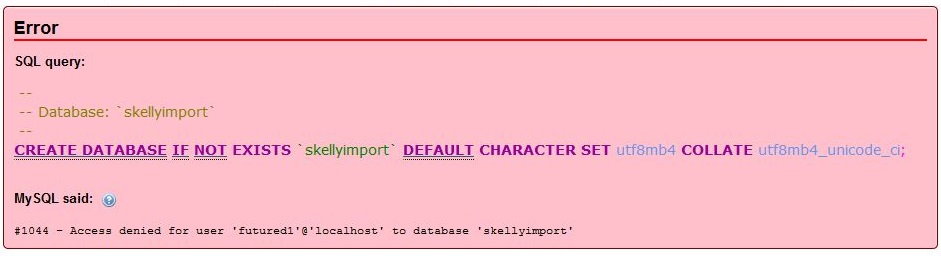
Error

SQL query:

--
-- Database: `skellyimport`
--
CREATE DATABASE IF NOT EXISTS `skellyimport` DEFAULT CHARACTER SET utf8mb4 COLLATE utf8mb4_unicode_ci;

MySQL said: Documentation
#1044 - Access denied for user 'futured1'@'localhost' to database 'skellyimport'
To fix this, edit the SQL file and remove the following before importing
--
-- Database: `skellyimport`
--
CREATE DATABASE IF NOT EXISTS `skellyimport` DEFAULT CHARACTER SET utf8mb4 COLLATE utf8mb4_unicode_ci;
USE `skellyimport`;

-- --------------------------------------------------------
Variable 'character_set_client' can't be set to the value of 'NULL'
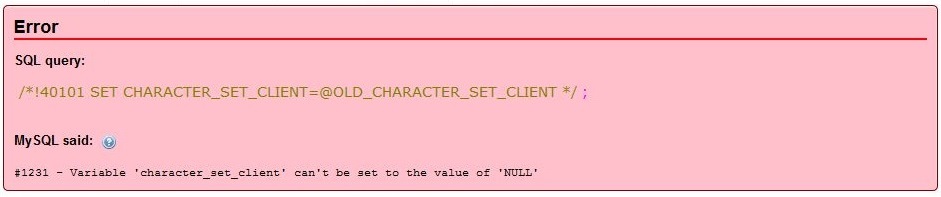
Error

SQL query:

/*!40101 SET CHARACTER_SET_CLIENT=@OLD_CHARACTER_SET_CLIENT */;

MySQL said: Documentation
#1231 - Variable 'character_set_client' can't be set to the value of 'NULL'
The missing headers causes this error when importing into the target server. I am not sure what they do. But the difference between the phpMyAdmin Database and Table exports seems to be:
/*!40101 SET @OLD_CHARACTER_SET_CLIENT=@@CHARACTER_SET_CLIENT */;
/*!40101 SET @OLD_CHARACTER_SET_RESULTS=@@CHARACTER_SET_RESULTS */;
/*!40101 SET @OLD_COLLATION_CONNECTION=@@COLLATION_CONNECTION */;
/*!40101 SET NAMES utf8mb4 */;
I also did a quick google search and found the following articles on the subject saying the same thing that the missing headers is what causes this particular error
Links
RSSOwl - Does not run
When you run RSSOwl it just never starts and no process is spawned.
The cause and the fix are easy.
Cause = RSSOwl requires Javascript 32-bit installed
Fix = Install Javascript 32 bit
Links
caching with htaccess
This is an email I sent with information on caching by htaccess.
Hi Vlado
Just a quick update and the information on caching I have.
I mentioned that the jotcache component showed entries even after I had emptied the joomla cache. You advised me to hit refresh. This worked. Perhaps an automatic refresh when the component is launched might help.
The Expires plugin fails with the normal joomla cache as well so I will contact the plugin author about this as it appears to be a fault or missing feature with this plugin.
Cache
I am still experimenting with cache for my website. I do not know how much you know about this so if my reply is basic please don’t be offended.
I am currently setting everything to one hour so I can test things without leaving unwanted cached items on peoples browsers. I intend to move these to 1 day when I have finshed developing. Google prefers expires (because more compatible) and to have them set to one month, this might have an effect on SEO.
My cache is set both in the htaccess file and in the expires plugin and jotcache (different type of cache and you already know its feature and power)
htacess
This is the rule I am working with at the minute, I have included both types of cache for testing but cache-control overrides expires anyway. I have also put them inside a filesmatch rather than globally, this would be fine aswell. last modified is unset because I am using cache-control to set freshness of the files and it is an overhead that is not needed. This assume fairly static content. However if you set a max-age of only an hour it is not really an issue a user having out of date content
## My Cache Rule - check whether ExpiresActive is required here
# All specified files can be cached in public/private proxies and browsers etc..and when it expires must revalidate
<FilesMatch "\.(ico|pdf|flv|gif|jpg|JPG|jpeg|JPEG|png|PNG|swf|css|js|js\.gz|gz|htm|html|xml|txt)$">
    Header set Cache-Control "max-age=3600, public, must-revalidate"
    ExpiresActive On
    ExpiresDefault "now plus 1 hour"
    Header unset Last-Modified
</FilesMatch>
This rule set below is the same as above but the cache control is slightly different, it has a private option set, this means that no public proxy or cache can store this data, only a cache that the user has private access to ie internet explorer cache
## My Shop Cache Rule - check whether ExpiresActive is required here
# All specified files can be cached in browsers but not public caches/proxies etc..and when it expires must revalidate
# bbc.co.uk uses private
<FilesMatch "\.(ico|pdf|flv|gif|jpg|JPG|jpeg|JPEG|png|PNG|swf|css|js|js\.gz|gz|htm|html|xml|txt)$">
    Header set Cache-Control "max-age=3600, private, must-revalidate"
    ExpiresActive On
    ExpiresDefault "now plus 1 hour"
    Header unset Last-Modified
</FilesMatch>
You mention in your email - (a problem with this at the minute is joomla does not set a Last Modified Header, I need to look in to this further but the theory still stands)
For general usage I think here is necessary that browser at least make a ping to server and this one responds with 304 code.
This can be achived better by using a cache control setting off
Header set Cache-Control "max-age=3600, no-store, public, must-revalidate"
The no-store actually means that the browser cannot use the content in its browser without first revalidating the content with the original source. However this method with not depend on the session still being open like with the 'Use Browser Cache option'. When using this either ETag or Last Modified header need to be set, as ETAGs are problematic everyone uses Last Modified Header, so in this case I would not unset Last Modified asa it is needed to revalidate content.
My settings that I am will be testing on my Expires plugin:
1 hour, Public, Must Revalidate
I will also give you these links which I found very helpful in understanding cache:
- http://www.mnot.net/cache_docs/
- http://perishablepress.com/press/2009/03/16/the-perishable-press-4g-blacklist/ (more than cache)
- http://www.askapache.com/htaccess/caching-tutorial-for-webmasters.html
- http://palisade.plynt.com/issues/2008Jul/cache-control-attributes/
I hope this helps. I am currently writing a htaccess files with a really good cache section in it. If you would like a copy of it I can send it you. I would send it now but I don’t want the email to end up in spam.
One last question. Does joomlas cache/jotcache store html headers in the cache or just the html page content?
Thanks
Shoulders
CSS margin syntax cheatsheet
Top – Right – Bottom – Left
The margin property can have from one to four values.
- margin: 25px 50px 75px 100px;
- top margin is 25px
- right margin is 50px
- bottom margin is 75px
- left margin is 100px
- margin: 25px 50px 75px;
- top margin is 25px
- right and left margins are 50px
- bottom margin is 75px
- margin: 25px 50px;
- top and bottom margins are 25px
- right and left margins are 50px
- margin: 25px;
- all four margins are 25px
Make USB Floppy Drive appear as A:
This issue came about because I needed to image some Atari ST floppy disks and the only OS that would run the specialised Makedisk App was XP. I loaded XP in a Vitrual Box and then plugged in my USB floppy drive and mounted it. The floppy drive then mounted as B: . It did this becasue I had a virtual floppy disk as part of the vitual machine so the external floppy disk drive then took the next letter which is B:
Makedisk would probably work with B: drive but annoyed me. I thenshutdown the virtual machine and then rebooted. The USB floppy drive still shows as B: because it is registered in the windows registry.
My solution
This issue is not just related to virtual machines nor XP but I have verified the solutions on XP. This assumes your USB floppy drive come up as B:
- Unplug your USB floppy drive
- Make sure the floppy disk (A: drive) is disabled in the BIOS or Virtual Machine control panel
- Load Windows XP (Virtual Machine or real)
- Open regedit
- Goto
HKEY_LOCAL_MACHINE\SYSTEM\MountedDevices
- Delete Pane/Key found:
\DosDevices\B:
- Plug in USB floppy drive and it will appear as A:
Links
- Change the letter of external floppy drive? - Tech Support Forum - Registry fix similiar to above
- How to change floppy drive letters? Disk Management doesn't show floppy drives.. - Windows XP - Registry fix similiar to above
Fair Use
This is one of the most confusing things in copyright law for the lay person but I will try and explain it here.
The "fair use" exemption to (U.S.) copyright law was created to allow things such as commentary, parody, news reporting, research and education about copyrighted works without the permission of the author. That's vital so that copyright law doesn't block your freedom to express your own works -- only the ability to appropriate other people's. Intent, and damage to the commercial value of the work are important considerations.
Links
How to implement Open Source licenses on your software
This is article will show you how to practically implement a license after you have decided which one you are going to use. There are several different methods and people implement them differently. I am going to show you the different ways people have been adding licenses and then what I decided to use.
I will group the methods by license to make things easier and so you can use this article as a reference.
Choose a License has the official ways of implementing licenses and you can get text versions of the full licenses there. They do look a bit different in terms of formatting (indendtations) to some of the others I have see but the wording is the same
The licenses are expresssed in 2 different ways.
- The full license file which should be put (usually) in the root folder of the software. Some people create a license folder and put it in there. The rules mainly say that the license should be distributed with the sofatware and I would advise not to hide it.
- boilerplate / copyright header put in the actual software/source files. The rule of thumb is add it tro all significant parts of the code. This is code that is more than 300 lines as a rule of thumb. but it does not ahrm adding it to all files if you want. The code that is put here is refered to as the boilerplate. If you've got a project where individual files might be taken out of context, it may be sensible to add the boilerplate to all files.
Collaboration
This is where you modify work where it already has a copyright and you must leave the copyright inplace.
GPL / MIT
If a copyright has already been expressed you cannot remove that copyright declaration so what a lot of people do is just add their copyright notice below the old one which keeps the same license but adds your copyright claim.
Copyright (C) 20015-2016 Original Author   // unchanged
Copyright (C) 2017 QuantumwWarp.com
This article tells you about collabaration (already worked on) for GPL -
Apache
I think apache is the same as above but you might be required to make notes of the changes that have been made rather than just add an extra copyright line.
GPLv2 / GPLv3
This method also applies to GPLv2 but using the v2 of the license.
- The GNU General Public License v3.0 - GNU Project - Free Software Foundation
- GNU General Public License v3.0 - Choose a License
- GNU General Public License v2.0 - GNU Project - Free Software Foundation
- GNU General Public License v2.0 - GNU Project - Free Software Foundation
- GPLv2 boilerplate - Free Software Foundation
- How to use GNU licenses for your own software - GNU Project - Free Software Foundation
How to apply this license
- Create a text file (typically named LICENSE, LICENSE.txt, sometimes LICENSE.md) in the root of your source code and copy the text of the license into the file.
- The Free Software Foundation recommends taking the additional step of adding a boilerplate notice to the top of each file. The boilerplate can be found at the end of the license.
- Optional: Add GPL-3.0+ (or GPL-3.0 to disallow future versions) to your project's package description, if applicable (e.g., Node.js, Ruby, and Rust). This will ensure the license is displayed in package directories.
Other GPL Family Notes
- The method for applying a lcinese using GPLv2 is exactly the same excepot the license and boilerplate are different.
- AGPL and LGPL has different licenses and boilerplates and slightly different rules ans when and where the license should be available.
Boilerplate License Examples
The following are examples of GPL boilerplate code. There seems to be quite a variety of these code different people use. These companies are respected organisations so the code must be good and I suppose it is personal preference.
My GPLv3
This is the boilerplate I am going to use for my GPLv3 software.
I went with this design because it includes my name and website, it has a small foot print and because I have not put version numbers in I do not have to update the text everytime I upgrade my software, there is also a generic link to the GPL license so I am not stuck with using a particlualr filename for the license (i.e. LICENSE, LICENSE.txt, LICENSE.md)
NB: I need to decide on the license line once I have added it my github repe. apparently it will recognise LICENSE.txt as a license file. I could also then like Divi add extra infor to the top of the license file.
@license GNU/GPLv3 or later; https://www.gnu.org/licenses/gpl.html
or
@license GNU General Public License version 2 or later; see LICENSE.txt
/**
 * @package   QWcrm
 * @author    Jon Brown https://quantumwarp.com/
 * @copyright Copyright (C) 2016 - 2017 Jon Brown, All rights reserved.
 * @license   GNU/GPLv3 or later; https://www.gnu.org/licenses/gpl.html
 */
My GPLv2
The same as above but for GPLv2 software.
/**
 * @package   QWcrm
 * @author    Jon Brown https://quantumwarp.com/
 * @copyright Copyright (C) 2016 - 2017 Jon Brown, All rights reserved.
 * @license   GNU/GPLv2 or later; https://www.gnu.org/licenses/gpl-2.0.html
 */
GNU Official GPLv3 instructions
Attach the following notices to the program. It is safest to attach them to the start of each source file to most effectively state the exclusion of warranty; and each file should have at least the “copyright” line and a pointer to where the full notice is found.
For a one-file program, the statement (for the GPL) should look like this:
- replace the first line with a description of the software - some pople do not put the software description line in, but just delete it instead.
- replace <year> with the year
- replace <name of author> with your name
<one line to give the program's name and a brief idea of what it does.>
Copyright (C) <year>  <name of author>

This program is free software: you can redistribute it and/or modify
it under the terms of the GNU General Public License as published by
the Free Software Foundation, either version 3 of the License, or
(at your option) any later version.

This program is distributed in the hope that it will be useful,
but WITHOUT ANY WARRANTY; without even the implied warranty of
MERCHANTABILITY or FITNESS FOR A PARTICULAR PURPOSE.  See the
GNU General Public License for more details.

You should have received a copy of the GNU General Public License
along with this program.  If not, see <http://www.gnu.org/licenses/>.
For programs that are more than one file, it is better to replace “this program” with the name of the program, and begin the statement with a line saying “This file is part of NAME”. For instance,
- Replace 'Foobar' with the name of your product
This file is part of Foobar.

Foobar is free software: you can redistribute it and/or modify
it under the terms of the GNU General Public License as published by
the Free Software Foundation, either version 3 of the License, or
(at your option) any later version.

Foobar is distributed in the hope that it will be useful,
but WITHOUT ANY WARRANTY; without even the implied warranty of
MERCHANTABILITY or FITNESS FOR A PARTICULAR PURPOSE.  See the
GNU General Public License for more details.

You should have received a copy of the GNU General Public License
along with Foobar.  If not, see <http://www.gnu.org/licenses/>.
If the program does terminal interaction, make it output a short notice like this when it starts in an interactive mode:
<program>  Copyright (C) <year>  <name of author>
This program comes with ABSOLUTELY NO WARRANTY; for details type `show w'.
This is free software, and you are welcome to redistribute it
under certain conditions; type `show c' for details.
Joomla (index.php)
- https://www.joomla.org/
- This is one of the most well known Open Source softwre using GPLv2 and this is their boilerplate from the index.php
/**
 * @package    Joomla.Site
 *
 * @copyright  Copyright (C) 2005 - 2016 Open Source Matters, Inc. All rights reserved.
 * @license    GNU General Public License version 2 or later; see LICENSE.txt
 */
Joomla (com_content)
- components/com_content/controller.php
- notice the aditional @subpackage
/**
 * @package     Joomla.Site
 * @subpackage  com_content
 *
 * @copyright   Copyright (C) 2005 - 2016 Open Source Matters, Inc. All rights reserved.
 * @license     GNU General Public License version 2 or later; see LICENSE.txt
 */
Power Content
/**
 * @package    com_epc / Power Content
 * @version    CVS: 1.0.0
 * @author     Shir Ekerling <shirekerling@gmail.com>
 * @copyright  2016 Shir Ekerling
 * @license    GNU General Public License version 2 or later; see LICENSE.txt
 */
Divi Builder
/*
 * Plugin Name: Divi Builder
 * Plugin URI: http://elegantthemes.com
 * Description: A drag and drop page builder for any WordPress theme.
 * Version: 1.3.10
 * Author: Elegant Themes
 * Author URI: http://elegantthemes.com
 * License: GPLv2 or later
 */
Gantry
- http://gantry.org/
- Gantry - templates/g5_helium/html/layouts/joomla/system
- this is an excellent example on how to add cascading copyright notices
/**
 * @package   Gantry 5 Theme
 * @author    RocketTheme http://www.rockettheme.com
 * @copyright Copyright (C) 2007 - 2015 RocketTheme, LLC
 * @copyright Copyright (C) 2005 - 2015 Open Source Matters, Inc. All rights reserved.
 * @license   GNU/GPLv2 and later
 *
 * http://www.gnu.org/licenses/gpl-2.0.html
 */
AllVideos
/**
 * @version    4.8.0
 * @package    AllVideos (plugin)
 * @author     JoomlaWorks - http://www.joomlaworks.net
 * @copyright  Copyright (c) 2006 - 2016 JoomlaWorks Ltd. All rights reserved.
 * @license    GNU/GPL license: http://www.gnu.org/copyleft/gpl.html
 */
Joomla Forum
- https://forum.joomla.org/viewtopic.php?t=616933
- This shows a thought process on how to make the boilerplate smaller to reduce file payload size.
A
/**
 * @package Joomla
 * @subpackage [PROGRAM]
 * @copyright (C) [COMPANY]
 * @license GNU/GPL, see license.txt
 * [PROGRAM] is free software; you can redistribute it and/or
 * modify it under the terms of the GNU General Public License 2
 * as published by the Free Software Foundation.
 *
 * [PROGRAM] is distributed in the hope that it will be useful,
 * but WITHOUT ANY WARRANTY; without even the implied warranty of
 * MERCHANTABILITY or FITNESS FOR A PARTICULAR PURPOSE.  See the
 * GNU General Public License for more details.
 *
 * You should have received a copy of the GNU General Public License
 * along with [PROGRAM]; if not, write to the Free Software
 * Foundation, Inc., 51 Franklin Street, Fifth Floor, Boston, MA  02110-1301, USA
 * or see http://www.gnu.org/licenses/.
 */
B
/**
 * @package Joomla
 * @subpackage [PROGRAM]
 * @copyright (C) [COMPANY]
 * @license GNU/GPL, see license.txt
 * [PROGRAM] is free software; you can redistribute it and/or
 * modify it under the terms of the GNU General Public License 2
 * as published by the Free Software Foundation.
 */
C
/**
 * @package Joomla
 * @subpackage [PROGRAM]
 * @copyright (C) [COMPANY]
 * @license GNU General Public License 2, see license.txt
 */
Stackoverflow - How to propertly comment a PHP file based on GNU/GPL source
/**
 * @package     GovArticle.Administrator
 * @subpackage  com_govarticle.layouts
 * @author      Artur Stępień (artur@example.pl)
 * @copyright   (C) 2005 - 2015 Open Source Matters. All rights reserved.
 * @copyright   (C) 2015 - Fundacja PCJ Otwarte Źródła
 * @license     http://www.gnu.org/licenses/old-licenses/gpl-2.0-standalone.html
 * @link        http://dostepny.joomla.pl
 *
 * Based on com_content layouts from Joomla!
 */
GitHub - ThinkUp
- https://github.com/ThinkUpLLC/ThinkUp
- ThinkUp's source code is licensed under the GNU General Public License, except for the external libraries listed below. See the website linked above
- This incorporates a normal GPLv3 licenses but with author information added at the bottom in function delcaration style. this would work better if there are more authors to disclose.
/**
 *
 * ThinkUp/webapp/public.php
 *
 * Copyright (c) 2009-2010 Gina Trapani, Jason McPheron, Dash30, Christoffer Viken, Dwi Widiastuti
 *
 * LICENSE:
 *
 * This file is part of ThinkUp.
 *
 * ThinkUp is free software: you can redistribute it and/or modify
 * it under the terms of the GNU General Public License as published by
 * the Free Software Foundation, either version 3 of the License, or
 * (at your option) any later version.
 *
 * ThinkUp is distributed in the hope that it will be useful,
 * but WITHOUT ANY WARRANTY; without even the implied warranty of
 * MERCHANTABILITY or FITNESS FOR A PARTICULAR PURPOSE.  See the
 * GNU General Public License for more details.
 *
 * You should have received a copy of the GNU General Public License
 * along with ThinkUp.  If not, see <http://www.gnu.org/licenses/>.
 *
*/
/**
 * @author Gina Trapani <ginatrapani[at]gmail[dot]com>
 * @author Jason McPheron <jason[at]onebigword[dot]com>
 * @author Dash30 <customerservice[at]dash30[dot]com>
 * @author Christoffer Viken <christoffer[at]viken[dot]me>
 * @author Dwi Widiastuti <admin[at]diazuwi[dot]web[dot]id>
 * @license http://www.gnu.org/licenses/gpl.html
 * @copyright 2009-2010 Gina Trapani, Jason McPheron, Dash30, Christoffer Viken, Dwi Widiastuti
*/
GPL - Collaboration Examples
Here I will put a collection of licenses where there has been more than 1 author.
Stackoverflow - GPL license. Code reuse
All original material Copyright (C) 2009-2010 author

Original file from A: A/foo/foo.h
Copyright (C) 1997-2001 author.

This program is free software; you can redistribute it and/or
modify it under the terms of the GNU General Public License
as published by the Free Software Foundation; either version 2
of the License, or (at your option) any later version.

This program is distributed in the hope that it will be useful,
but WITHOUT ANY WARRANTY; without even the implied warranty of
MERCHANTABILITY or FITNESS FOR A PARTICULAR PURPOSE.

See the GNU General Public License for more details.

You should have received a copy of the GNU General Public License
along with this program; if not, write to the Free Software
Foundation, Inc., 59 Temple Place - Suite 330, Boston, MA  02111-1307, USA.
Or
/*
 * Copyright (c) 2007  GPL Project Developer Who Made Changes <gpl@example.org>
 *
 *  This file is free software: you may copy, redistribute and/or modify it
 *  under the terms of the GNU General Public License as published by the
 *  Free Software Foundation, either version 2 of the License, or (at your
 *  option) any later version.
 *
 *  This file is distributed in the hope that it will be useful, but
 *  WITHOUT ANY WARRANTY; without even the implied warranty of
 *  MERCHANTABILITY or FITNESS FOR A PARTICULAR PURPOSE.  See the GNU
 *  General Public License for more details.
 *
 *  You should have received a copy of the GNU General Public License
 *  along with this program.  If not, see <http://www.gnu.org/licenses/>.
 *
 * This file incorporates work covered by the following copyright and
 * permission notice:
 *
 *     Copyright (c) YEARS_LIST, Permissive Contributor1 <contrib1@example.net>
 *     Copyright (c) YEARS_LIST, Permissive Contributor2 <contrib2@example.net>
 *
 *     Permission to use, copy, modify, and/or distribute this software
 *     for any purpose with or without fee is hereby granted, provided
 *     that the above copyright notice and this permission notice appear
 *     in all copies.
 *
 *     THE SOFTWARE IS PROVIDED "AS IS" AND THE AUTHOR DISCLAIMS ALL
 *     WARRANTIES WITH REGARD TO THIS SOFTWARE INCLUDING ALL IMPLIED
 *     WARRANTIES OF MERCHANTABILITY AND FITNESS. IN NO EVENT SHALL THE
 *     AUTHOR BE LIABLE FOR ANY SPECIAL, DIRECT, INDIRECT, OR
 *     CONSEQUENTIAL DAMAGES OR ANY DAMAGES WHATSOEVER RESULTING FROM LOSS
 *     OF USE, DATA OR PROFITS, WHETHER IN AN ACTION OF CONTRACT,
 *     NEGLIGENCE OR OTHER TORTIOUS ACTION, ARISING OUT OF OR IN
 *     CONNECTION WITH THE USE OR PERFORMANCE OF THIS SOFTWARE.
 */
Stackoverflow - GPL copyright notice when contributing new files
A
/**
 * Some open source application
 * Component Bar
 * (C) 20?? by Scruffy H. Hacker (scruffy@foo.bar)
 * (C) 20?? by Tobier Hackerson (tobier@foo.bar)
 * Released under the GPL
 *
 * Awesome description here.
 */
B
/**
 * My Extension to some open source application
 *
 *  Copyright 2012 by Tobias Eriksson <author@tobier.se>
 *
 * This file is part of some open source application.
 *
 * Some open source application is free software: you can redistribute
 * it and/or modify it under the terms of the GNU General Public
 * License as published by the Free Software Foundation, either
 * version 3 of the License, or (at your option) any later version.
 *
 * Some open source application is distributed in the hope that it will
 * be useful, but WITHOUT ANY WARRANTY; without even the implied warranty
 * of MERCHANTABILITY or FITNESS FOR A PARTICULAR PURPOSE.  See the
 * GNU General Public License for more details.
 *
 * You should have received a copy of the GNU General Public License
 * along with Foobar.  If not, see <http://www.gnu.org/licenses/>.
 *
 * @license GPL-3.0+ <http://spdx.org/licenses/GPL-3.0+>
 */
C
/**
 * Some open source application
 *
 *  Copyright 2012 by Tobias Eriksson <author@tobier.se>
 *  Copyright 2010, 2011 by Scruffy H. Hacker <scruffy@foo.bar>
 *
 *  Licensed under GNU General Public License 3.0 or later.
 *  Some rights reserved. See COPYING, AUTHORS.
 *
 * @license GPL-3.0+ <http://spdx.org/licenses/GPL-3.0+>
 */
Software Freedom - Maintaining Permissive-Licensed Files in a GPL-Licensed Project: Guidelines for Developers
Including unmodified permissive-licensed files. The top of the incorpoated file should look something like this:
/* Copyright (c) YEARS_LIST, Permissive Project Contributor1 <contrib1@example.net>
 * Copyright (c) YEARS_LIST, Permissive Project Contributor2 <contrib2@example.net>
 * ...
 *
 * Permission to use, copy, modify, and/or distribute this software for
 * any purpose with or without fee is hereby granted, provided that the
 * above copyright notice and this permission notice appear in all copies.
 *
 * THE SOFTWARE IS PROVIDED "AS IS" AND THE AUTHOR DISCLAIMS ALL
 * WARRANTIES WITH REGARD TO THIS SOFTWARE INCLUDING ALL IMPLIED
 * WARRANTIES OF MERCHANTABILITY AND FITNESS. IN NO EVENT SHALL THE AUTHOR
 * BE LIABLE FOR ANY SPECIAL, DIRECT, INDIRECT, OR CONSEQUENTIAL DAMAGES
 * OR ANY DAMAGES WHATSOEVER RESULTING FROM LOSS OF USE, DATA OR PROFITS,
 * WHETHER IN AN ACTION OF CONTRACT, NEGLIGENCE OR OTHER TORTIOUS ACTION,
 * ARISING OUT OF OR IN CONNECTION WITH THE USE OR PERFORMANCE OF THIS
 * SOFTWARE.
 */
then - 2.2 Adding GPL’d modifications to permissive-licensed files
/*
 * Copyright (c) 2007  GPL Project Developer Who Made Changes <gpl@example.org>
 *
 *  This file is free software: you may copy, redistribute and/or modify it
 *  under the terms of the GNU General Public License as published by the
 *  Free Software Foundation, either version 2 of the License, or (at your
 *  option) any later version.
 *
 *  This file is distributed in the hope that it will be useful, but
 *  WITHOUT ANY WARRANTY; without even the implied warranty of
 *  MERCHANTABILITY or FITNESS FOR A PARTICULAR PURPOSE.  See the GNU
 *  General Public License for more details.
 *
 *  You should have received a copy of the GNU General Public License
 *  along with this program.  If not, see <http://www.gnu.org/licenses/>.
 *
 * This file incorporates work covered by the following copyright and
 * permission notice:
 *
 *     Copyright (c) YEARS_LIST, Permissive Contributor1 <contrib1@example.net>
 *     Copyright (c) YEARS_LIST, Permissive Contributor2 <contrib2@example.net>
 *
 *     Permission to use, copy, modify, and/or distribute this software
 *     for any purpose with or without fee is hereby granted, provided
 *     that the above copyright notice and this permission notice appear
 *     in all copies.
 *
 *     THE SOFTWARE IS PROVIDED "AS IS" AND THE AUTHOR DISCLAIMS ALL
 *     WARRANTIES WITH REGARD TO THIS SOFTWARE INCLUDING ALL IMPLIED
 *     WARRANTIES OF MERCHANTABILITY AND FITNESS. IN NO EVENT SHALL THE
 *     AUTHOR BE LIABLE FOR ANY SPECIAL, DIRECT, INDIRECT, OR
 *     CONSEQUENTIAL DAMAGES OR ANY DAMAGES WHATSOEVER RESULTING FROM LOSS
 *     OF USE, DATA OR PROFITS, WHETHER IN AN ACTION OF CONTRACT,
 *     NEGLIGENCE OR OTHER TORTIOUS ACTION, ARISING OUT OF OR IN
 *     CONNECTION WITH THE USE OR PERFORMANCE OF THIS SOFTWARE.
 */
GPL - Additional Terms
It is possible to add extra terms to the GPL license should you need to. See below for an example
SobiPro
- https://www.sigsiu.net/
- SobiPro stores it license (GPLv3) @ /site/gplv3.txt
- There are additional terms @ /site/gplv3addterms.txt (applicable section 7 additional terms)
SobiPro is released under the GNU General Public License V3
Additional Terms according section 7 of GNU/GPL V3

These additional terms refer to SobiPro and its applications (hereinafter referred to as Software) and any updates to Software.

"Sobi" and "SobiPro" are trademarks of Sigsiu.NET GmbH. The licensing of the Software under the GPL does not imply a trademark license. Therefore any rights, title and interest in our trademarks remain entirely with Sigsiu.NET GmbH.

Except as expressly provided herein, no trademark rights are granted to any trademarks of Sigsiu.NET GmbH. Licensees are granted a limited, non-exclusive right to use the marks "Sobi", "SobiPro" and the SobiPro and Sigsiu.NET logos in connection with unmodified copies of the Software.

If the licensee distributes modified copies of the Software, he has to:

    Replace/remove all terms, images and files containing the marks "Sobi", "SobiPro" and the SobiPro and Sigsiu.NET logos.
    Remove any code which causes connection to or any kind of load of servers managed by Sigsiu.NET GmbH
    The terms "Sigsiu", "Sigsiu.NET", "Sobi" and "SobiPro" have to be removed from all visual outputs (front-end and back-end).
    The copyright notices within the source code files must not be removed and have to be left fully intact.
    This agreement does not limit user's rights under, or grant user rights that supersede, the license terms of any particular component of the Software.

In addition, licensees that modify the Software must give the modified Software a new name that is not confusingly similar to "Sobi" or "SobiPro" and may not distribute it under the names "Sobi" and "SobiPro".
The names "Sobi", "SobiPro" and "Sigsiu" must not be used to endorse or promote products derived from this Software without prior written permission of Sigsiu.NET GmbH.

If any provision of this agreement is held to be unenforceable, it does not excuse you from the conditions of this License. If the licensee cannot distribute so as to satisfy simultaneously his obligations under this License and any other pertinent obligations, then as a consequence he may not distribute the Software at all.
Divi Builder
- Divi has added the following to the begining of the license.txt (GPLv2) in it's package
/*************************************************************************/
/*************************************************************************/

    Copyright 2015 Elegant Themes, Inc.

    All plugin files are licensed under the GNU Public License 2.0 unless
    specified as otherwise within the file itself. Some files may be
    licensed under alternative open source licenses such as MIT, BSD
    or OFL. Refer to individual files for licensing information. If no
    license is stated, then the file is placed under the GPL 2.0. You
    will find a copy of the GPL 2.0 below.

/*************************************************************************/
/*************************************************************************/
GPL - Aggregation
This Wordpress template license is a 'GPLv2 or later' license but it also 'bundles' third-party resources with their own licenses. I believe these will then form part of the GPLv2 license. This is good example of aggregation but it is possibly an example distributing code with a GPL licensed software but where they keep their own license rather than the viral properties of the parent softwares GPL license.
=== Twenty Seventeen ===
Contributors: the WordPress team
Requires at least: WordPress 4.7
Tested up to: WordPress 4.9-trunk
Version: 1.3
License: GPLv2 or later
License URI: http://www.gnu.org/licenses/gpl-2.0.html
Tags: one-column, two-columns, right-sidebar, flexible-header, accessibility-ready, custom-colors, custom-header, custom-menu, custom-logo, editor-style, featured-images, footer-widgets, post-formats, rtl-language-support, sticky-post, theme-options, threaded-comments, translation-ready

== Description ==

Twenty Seventeen brings your site to life with header video and immersive featured images. With a focus on business sites, it features multiple sections on the front page as well as widgets, navigation and social menus, a logo, and more. Personalize its asymmetrical grid with a custom color scheme and showcase your multimedia content with post formats. Our default theme for 2017 works great in many languages, for any abilities, and on any device.

For more information about Twenty Seventeen please go to https://codex.wordpress.org/Twenty_Seventeen.

== Installation ==

1. In your admin panel, go to Appearance -> Themes and click the 'Add New' button.
2. Type in Twenty Seventeen in the search form and press the 'Enter' key on your keyboard.
3. Click on the 'Activate' button to use your new theme right away.
4. Go to https://codex.wordpress.org/Twenty_Seventeen for a guide on how to customize this theme.
5. Navigate to Appearance > Customize in your admin panel and customize to taste.

== Copyright ==

Twenty Seventeen WordPress Theme, Copyright 2016 WordPress.org
Twenty Seventeen is distributed under the terms of the GNU GPL

This program is free software: you can redistribute it and/or modify
it under the terms of the GNU General Public License as published by
the Free Software Foundation, either version 2 of the License, or
(at your option) any later version.

This program is distributed in the hope that it will be useful,
but WITHOUT ANY WARRANTY; without even the implied warranty of
MERCHANTABILITY or FITNESS FOR A PARTICULAR PURPOSE. See the
GNU General Public License for more details.

Twenty Seventeen bundles the following third-party resources:

HTML5 Shiv, Copyright 2014 Alexander Farkas
Licenses: MIT/GPL2
Source: https://github.com/aFarkas/html5shiv

jQuery scrollTo, Copyright 2007-2015 Ariel Flesler
License: MIT
Source: https://github.com/flesler/jquery.scrollTo

normalize.css, Copyright 2012-2016 Nicolas Gallagher and Jonathan Neal
License: MIT
Source: https://necolas.github.io/normalize.css/

Font Awesome icons, Copyright Dave Gandy
License: SIL Open Font License, version 1.1.
Source: http://fontawesome.io/

Bundled header image, Copyright Alvin Engler
License: CC0 1.0 Universal (CC0 1.0)
Source: https://unsplash.com/@englr?photo=bIhpiQA009k

== Changelog ==

= 1.3 =
* Released: June 8, 2017

https://codex.wordpress.org/Twenty_Seventeen_Theme_Changelog#Version_1.3

= 1.2 =
* Released: April 18, 2017

https://codex.wordpress.org/Twenty_Seventeen_Theme_Changelog#Version_1.2

= 1.1 =
* Released: January 6, 2017

https://codex.wordpress.org/Twenty_Seventeen_Theme_Changelog#Version_1.1

= 1.0 =
* Released: December 6, 2016

Initial release
Apache
- ASF Source Header and Copyright Notice Policy - This document describes how Apache committers and PMC members should handle source file licensing and copyright notices.
- How to apply the Apache License to your work - http://www.apache.org/licenses/LICENSE-2.0.html#apply
- Apache License 2.0 - Choose a License
- also known as the X11 license or MIT X license
How to apply this license
- Create a text file (typically named LICENSE, LICENSE.txt, sometimes LICENSE.md) in the root of your source code and copy the text of the license into the file.
- Note: The Apache Foundation recommends taking the additional step of adding a boilerplate notice to the header of each source file. You can find the notice at the very end of the license in the appendix.
Boilerplate License Examples
There is only the official boilerplate I have come across and it is straight forward.
To apply the Apache License to your work, attach the following boilerplate notice, with the fields enclosed by brackets "[]" replaced with your own identifying information. (Don't include the brackets!) The text should be enclosed in the appropriate comment syntax for the file format. We also recommend that a file or class name and description of purpose be included on the same "printed page" as the copyright notice for easier identification within third-party archives.
Copyright [yyyy] [name of copyright owner]

Licensed under the Apache License, Version 2.0 (the "License");
you may not use this file except in compliance with the License.
You may obtain a copy of the License at

    http://www.apache.org/licenses/LICENSE-2.0

Unless required by applicable law or agreed to in writing, software
distributed under the License is distributed on an "AS IS" BASIS,
WITHOUT WARRANTIES OR CONDITIONS OF ANY KIND, either express or implied.
See the License for the specific language governing permissions and
limitations under the License.
MIT
- http://softwareengineering.stackexchange.com/questions/157968/how-to-manage-a-copyright-notice-in-an-open-source-project
- MIT License - Choose a License
How to apply this license
- Create a text file (typically named LICENSE, LICENSE.txt, sometimes LICENSE.md) in the root of your source code and copy the text of the license into the file. Replace [year] with the current year and [fullname] with the name (or names) of the copyright holders.
- Optional: Add MIT to your project's package description, if applicable (e.g., Node.js, Ruby, and Rust). This will ensure the license is displayed in package directories.
The License
Some versions of this license do not have 'MIT License' at the top, but you should include it as it helps people identify the license quicker.
MIT License

Copyright (c) [year] [fullname]

Permission is hereby granted, free of charge, to any person obtaining a copy
of this software and associated documentation files (the "Software"), to deal
in the Software without restriction, including without limitation the rights
to use, copy, modify, merge, publish, distribute, sublicense, and/or sell
copies of the Software, and to permit persons to whom the Software is
furnished to do so, subject to the following conditions:

The above copyright notice and this permission notice shall be included in all
copies or substantial portions of the Software.

THE SOFTWARE IS PROVIDED "AS IS", WITHOUT WARRANTY OF ANY KIND, EXPRESS OR
IMPLIED, INCLUDING BUT NOT LIMITED TO THE WARRANTIES OF MERCHANTABILITY,
FITNESS FOR A PARTICULAR PURPOSE AND NONINFRINGEMENT. IN NO EVENT SHALL THE
AUTHORS OR COPYRIGHT HOLDERS BE LIABLE FOR ANY CLAIM, DAMAGES OR OTHER
LIABILITY, WHETHER IN AN ACTION OF CONTRACT, TORT OR OTHERWISE, ARISING FROM,
OUT OF OR
Boilerplate License Examples
There is no boilerplate because the license is so short it serves as both the license and boilerplate.